
Download NoteBurner Audio Recorder – Fast, Secure Audio Capture & Conversion Tool
NoteBurner Audio Recorder is a premium desktop companion designed for anyone who needs a reliable way to record, convert, and manage audio from Apple Music, audiobooks, podcasts, and other digital sources. The software supports high‑quality output formats such as MP3, WAV, FLAC, AIFF, and AAC while preserving ID3 metadata and offering lightning‑fast 10× speed conversion. Whether you’re a casual listener wanting to back up a favorite playlist or a professional who needs to archive audiobooks for offline use, NoteBurner delivers a secure, feature‑rich environment. The program is available through flexible subscription plans—monthly, yearly, or a one‑time lifetime license—and includes a free trial so you can evaluate its performance before committing. With built‑in CD‑burning, iCloud sync, and regular updates, NoteBurner positions itself as an all‑in‑one audio studio for Windows and macOS users who demand quality without compromise.
Core Features & Benefits
- High‑speed 10× conversion engine for rapid format changes.
- Support for Apple Music, M4A, M4B, AA, AAX, and M4P source files.
- Output to MP3, AAC, FLAC, WAV, AIFF with lossless quality preservation.
- Automatic iCloud upload for seamless cloud backup.
- Full ID3 tag retention and editing (title, artist, album, artwork, genre, etc.).
- Integrated CD‑burning module – no external drivers required.
- Batch processing for large libraries and audiobook collections.
- Secure, ad‑free interface with regular software updates.
- Free trial available; flexible subscription (monthly, yearly, lifetime).
- Cross‑platform compatibility with Windows 10/11 and macOS 10.15+.
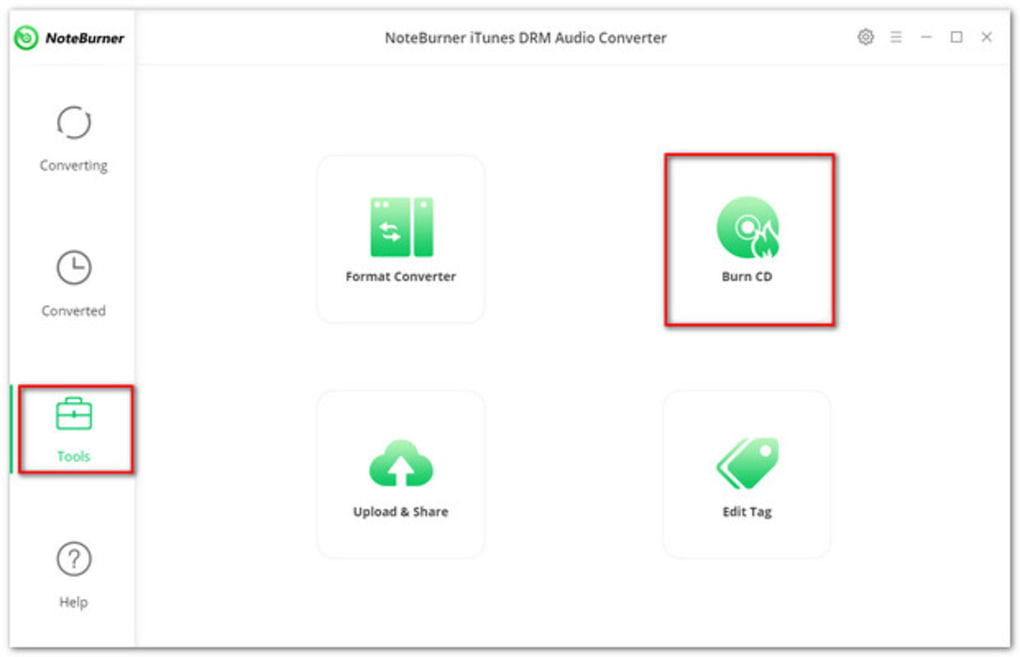
The feature set of NoteBurner Audio Recorder is deliberately built around two core goals: speed and fidelity. The 10× conversion engine leverages multithreaded processing, allowing users to convert entire folders of high‑resolution FLAC or large audiobook collections in minutes rather than hours. Because the software reads the original audio stream directly from Apple Music’s DRM‑protected files and re‑encodes it without intermediate loss, the resulting files retain the exact sonic characteristics of the source. This makes it an ideal tool for audiophiles who refuse to sacrifice audio quality for convenience. Metadata handling is another strong point. Many conversion utilities strip ID3 tags, leaving users to manually re‑enter artist and album information. NoteBurner reads every tag from the original file—including embedded artwork—and writes them into the new format, ensuring that music libraries remain organized and searchable. For podcasters and educators, the batch‑processing mode can automatically rename episodes based on episode number or date, further streamlining workflow. The built‑in CD‑burner expands the utility beyond digital formats. Users can select a playlist, choose the desired CD format (Audio CD or Data CD), and the software handles track gaps, indexing, and finalization automatically. This eliminates the need for separate burning software or virtual drive installations. Finally, the iCloud sync feature provides a secure backup path for converted files. Once conversion finishes, a single click uploads the files to the user’s iCloud Drive, making them instantly available on iPhone, iPad, or any other Apple device. This cloud integration, combined with regular automatic updates, ensures that the application stays current with the latest OS changes and audio codec standards.
Installation, Usage & Compatibility
Installing NoteBurner Audio Recorder is straightforward and mirrors the typical experience of modern desktop software. After downloading the installer from the official website, double‑click the .exe file on Windows or the .dmg on macOS. The wizard guides you through standard steps: license agreement, destination folder selection, and optional desktop shortcut creation. The installer checks for required .NET (Windows) or Rosetta (macOS) components and prompts you to install them if missing, ensuring a smooth first‑time launch.
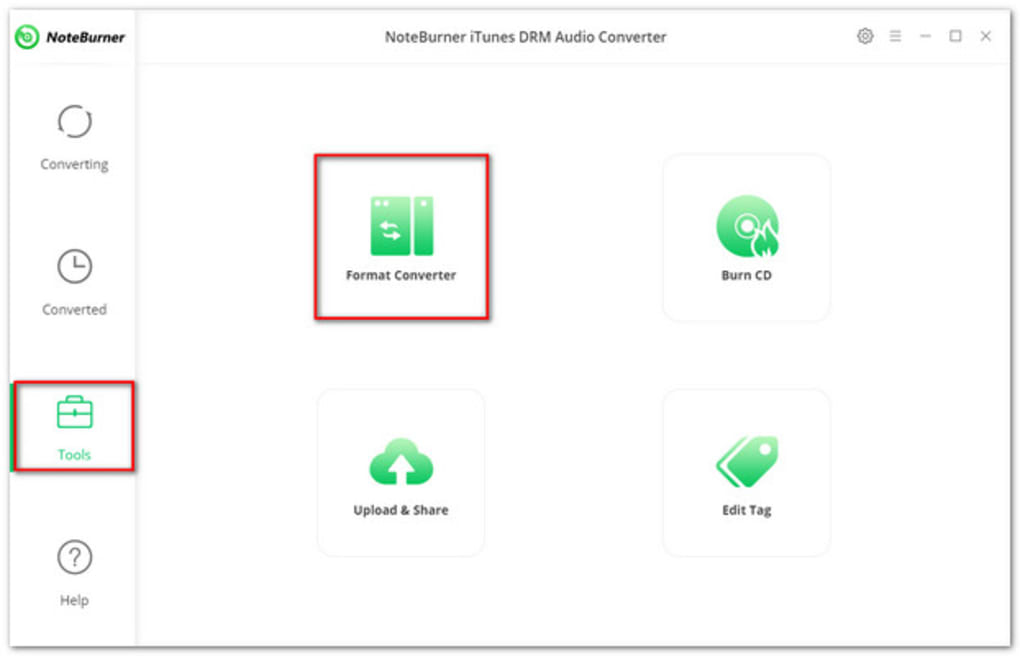
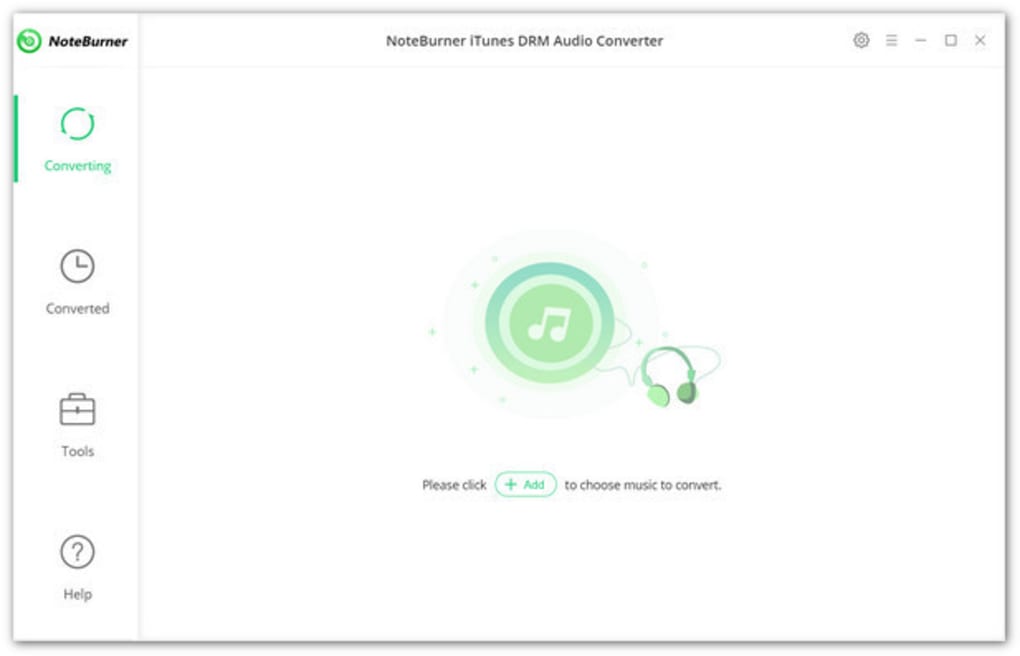
Once installed, launching the application presents a clean, three‑pane interface: a left‑hand navigation tree for source selection, a central preview window, and a right‑hand pane for output settings. To record from Apple Music, simply log into your Apple ID within the app (credentials are stored locally and never transmitted). The software scans your library and displays albums, playlists, or individual tracks. Select the desired items, choose the output format from the drop‑down menu, and set the conversion speed (default is 10×). For audiobooks, you can enable chapter detection to keep each chapter as a separate file.
Advanced users can access the “Batch Options” panel to define naming conventions, output folder structures, and tag overrides. For example, you might configure a rule that adds the release year to the folder name, ensuring that future additions automatically follow the same hierarchy. The “CD Burner” tab provides options for track gap length, disc label, and finalization mode.
Compatibility is a core consideration for NoteBurner. The software officially supports:
- Windows 10, Windows 11 (64‑bit)
- macOS 10.15 Catalina and later (Intel & Apple Silicon)
- iCloud integration on both platforms
Because the application runs natively on both Windows and macOS, users can enjoy the same feature set regardless of their preferred operating system. The developers also release regular patches to maintain compatibility with the latest Apple Music DRM updates, ensuring that recordings continue to work even after Apple releases new OS versions.
After conversion, files are saved to a user‑specified directory, and a confirmation dialog offers an immediate “Open Folder” or “Upload to iCloud” action. The entire workflow—from installation to final export—typically takes less than five minutes for a standard music album, demonstrating the efficiency that the product promises.
Pros & Cons + Frequently Asked Questions
Pros
- Exceptional conversion speed (up to 10× faster than most competitors).
- Lossless quality preservation with full ID3 tag retention.
- Integrated CD‑burning eliminates the need for third‑party tools.
- Seamless iCloud upload for cloud‑based backup.
- Supports both Windows and macOS, including Apple Silicon Macs.
- Free trial available; flexible subscription models.
Cons
- Not a free tool; requires a paid subscription after the trial.
- Initial setup may be confusing for users unfamiliar with DRM‑protected sources.
- Only works with Apple‑centric audio formats; no direct support for Spotify or other streaming services.
Frequently Asked Questions
Can NoteBurner Audio Recorder remove DRM from Apple Music?
Yes. The software records the audio stream directly from Apple Music while preserving the original quality, effectively creating a DRM‑free copy in the selected output format.
Is the iCloud upload feature optional?
Absolutely. After conversion, a dialog lets you choose whether to upload to iCloud, save locally, or both.
What is the difference between the monthly and lifetime plans?
The monthly plan provides ongoing access with the latest updates as long as the subscription is active, while the lifetime plan includes a one‑time payment that grants perpetual access to all current and future features.
Can I batch‑convert an entire iTunes library?
Yes. The batch processing tool lets you select multiple playlists, albums, or even the entire library and apply a single conversion profile to all items.
Does the software work on Apple Silicon (M1/M2) Macs?
The macOS version runs natively on Apple Silicon, delivering the same performance as on Intel‑based Macs.
NoteBurner Audio Recorder delivers on its promise of fast, high‑quality conversion while keeping the user experience intuitive. The inclusion of CD‑burning and iCloud sync sets it apart from typical audio recorders. The only drawback is its price tag, but for power users the feature set justifies the cost.
Conclusion & Call to Action
If you regularly interact with Apple Music, audiobooks, or podcasts and need a trustworthy way to create DRM‑free copies, NoteBurner Audio Recorder stands out as a robust, secure solution. Its combination of 10× conversion speed, lossless quality, full metadata preservation, and built‑in CD burning makes it a versatile tool for both casual listeners and audio professionals. The free trial provides a risk‑free opportunity to test the workflow, and the flexible subscription options let you choose the commitment level that fits your budget. Don’t let DRM or slow conversion tools hold back your audio library. Download NoteBurner Audio Recorder today, start the trial, and experience seamless recording, conversion, and backup—all in one secure application.







